Address
Tema, Krakue Road
Work Hours
Monday to Friday: 7AM - 7PM
Weekend: 10AM - 5PM
Address
Tema, Krakue Road
Work Hours
Monday to Friday: 7AM - 7PM
Weekend: 10AM - 5PM

 ByMabel
Facebook ads can be one of the fastest ways to start getting leads for your business.
If you’re a Ghanaian business owner and you want to use Facebook and Instagram to get customers, you need to understand that there is a difference between simply promoting a post and actually running a proper ad campaign.
If your goal is to get paying customers, you shouldn’t approach Facebook advertising as simply a way to get more likes, comments or followers. Your campaign should be built around the action you actually want potential customers to take.
For a service business, that could mean submitting a lead form, sending a WhatsApp message, calling your business or booking a consultation.
Here’s how to approach Facebook ads if you’re running a business in Ghana.
First of all, you need to have a personal Facebook account.
You also need a Facebook Business Page for your company. From there, you can use Meta Business Suite and your Meta advertising account to manage your business and ads.
Depending on how your business is set up, you may have an ad account under your own account, or the company may have its own advertising account.
Once everything is set up, you can go into Ads Manager and create your first ad campaign.
Make sure the right people have access to your business assets and advertising account as well. If you’re working with an agency or freelancer, you don’t necessarily need to give them complete control of everything.
One of the first things you will see on a Facebook Business Page is the option to boost a post.
But if your goal is to actually gain customers, don’t just boost your posts.
There is a difference between boosting a post and running a proper advertising campaign through Ads Manager.
Boosting is a simplified way of promoting an existing post. Ads Manager gives you much more control over what you’re trying to achieve, how you structure the campaign, where you send people and how Meta optimises the campaign.
If your goal is gaining customers, then that’s what you should be telling Meta to optimise for.
So don’t just boost your post because Facebook gives you a big “Boost Post” button.
Run a proper ad if gaining customers is your goal.
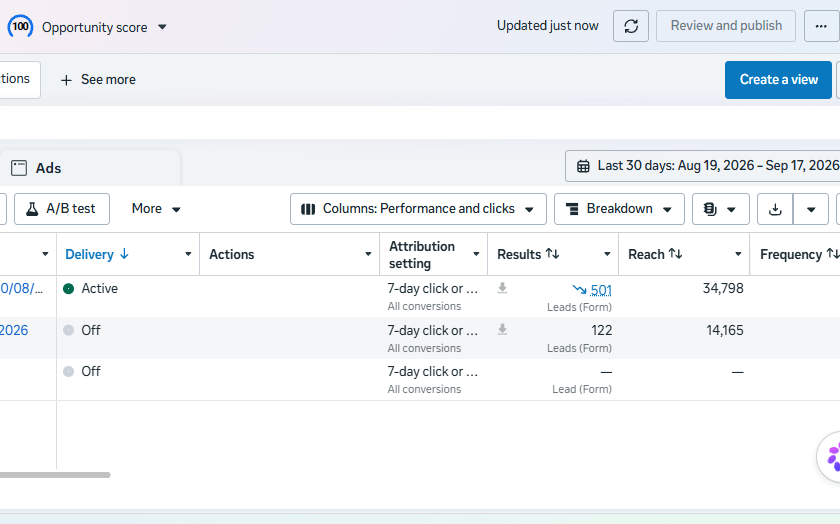
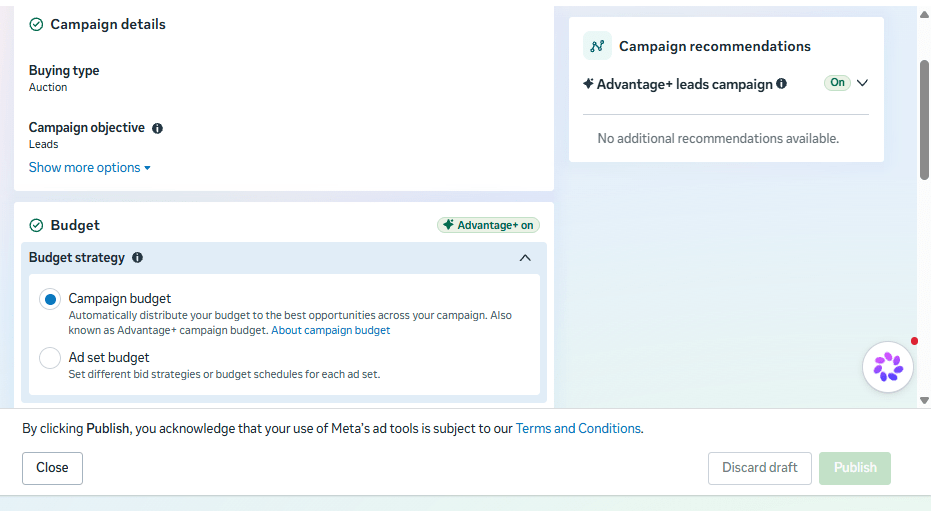
When you create a campaign in Meta Ads Manager, you’ll see different objectives, including awareness, engagement, leads and sales.
If your goal is simply to get people to know your brand or interact with your content, awareness or engagement can make sense.
But if your goal is to get paying customers, those aren’t the objectives I’d focus on.
If you’re a service business, you generally want to use a Leads campaign.
If you’re an e-commerce business, you would generally use a Sales campaign because you’re trying to get people to purchase.
The important thing is to tell Meta what you actually want.
If you want leads, optimise for leads.
If you want sales, optimise for sales.
And even if you think, “I want to run a brand awareness campaign because I want more people to know my business,” you’re still going to get some brand awareness when you run a Leads or Sales campaign.
People are still going to see your business.
People are still going to see your brand.
So you’re essentially killing two birds with one stone. You’re getting your business in front of people while also telling Meta to look for people who are more likely to take the action that can eventually make you money.
This is one of the most important things to understand about running Meta ads today.
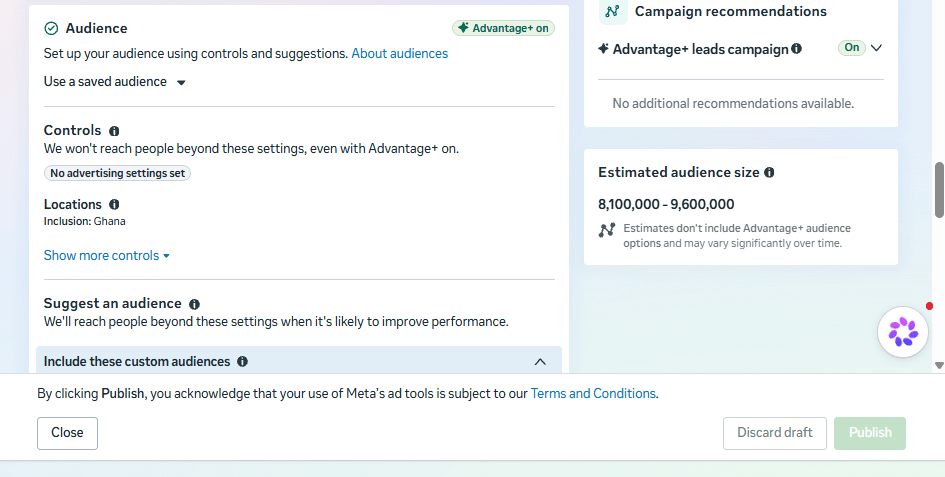
You don’t necessarily need to spend all your time trying to manually narrow down your audience.
Your creative itself can help Meta understand who your ad is for.
So instead of trying to tell Facebook:
“Show this to men between 25 and 45.”
“Show this to people interested in this.”
“Show this to people interested in that.”
Think about your ideal customer and make the creative speak directly to them.
You need to know your ICP, or ideal customer profile.
Who exactly are you trying to get as a customer?
What type of person is most likely to need your service?
What problem are they dealing with?
What would make them interested in what you’re offering?
Once you know that, speak to them immediately.
Don’t spend the first few seconds talking about yourself or giving people a long introduction to your company.
Grab their attention as quickly as possible.
What pain do they have?
What solution do you offer?
And why should they care now?
Your ad needs to answer those questions.
If you’re targeting business owners who are struggling to get customers, talk about that problem.
If you’re a contractor who wants more people requesting quotes, talk about that.
If you’re a service business and you’re trying to get people to contact you, the person watching the ad should quickly understand that the ad is relevant to them.
You don’t have a lot of time to get their attention, so don’t waste the first few seconds.
Your creative isn’t only there to get attention.
It can also help you qualify people.
Even though we’re saying you shouldn’t unnecessarily narrow your targeting, you should still speak specifically to the people who are most likely to become paying clients.
You can actually do a small amount of disqualification through the creative itself.
For example, if your service is specifically for established businesses, say that.
If your service is expensive, don’t hide that fact and attract everyone who is simply looking for the cheapest option.
If you only work with a particular type of customer, speak directly to them.
You’re essentially saying:
“This is who this is for.”
And at the same time, you’re telling the wrong people that this probably isn’t for them.
That’s a good thing.
You don’t necessarily want the most leads.
You want the right leads.
One thing I see businesses do is spend too much time trying to find the perfect audience manually.
They’ll say:
“I want men.”
“25 to 45.”
“People in Accra.”
“People interested in this.”
“People interested in that.”
And they’ll keep narrowing the audience down.
That used to be a much bigger part of how Facebook advertising was approached.
But Meta’s advertising system has become much more automated and heavily reliant on machine learning.
So don’t worry too much about trying to manually tell Facebook exactly who your customer is through dozens of interests and demographic restrictions.
If Meta sees that certain types of people are stopping to watch, interacting with your ad and taking action, it can use those signals to help find more people who are likely to respond.
This is why your creative is so important.
You don’t necessarily need to tell Facebook:
“Show this only to men between 25 and 45 who are interested in X, Y and Z.”
If you restrict your targeting too much, you can make it harder for the system to find the people who are actually likely to respond.
And you’re potentially going to increase your CPM because you’re making the audience smaller.
The strategy of manually narrowing everything down isn’t necessarily the best approach anymore.
Let the algorithm do some of the work.
Your job is to give it a good offer, good creative and a clear idea of the type of person you want to attract.
Your creative should tell Meta who the ad is for.
That’s why when you’re creating your ad, the first question shouldn’t be:
“What interests should I target?”
The first question should be:
“Who is my ideal customer, and what would make them stop scrolling?”
Another thing I would focus heavily on when running Meta ads is creative diversity.
Don’t create one ad and assume that because it isn’t working, Facebook ads don’t work.
Test different types of creative.
You can test:
For example, one video might focus on the problem your customer has.
Another might focus on the result they want.
Another might explain how your service works.
Another might answer an objection that stops people from buying.
You then see which creative is getting the right people to take action and build from there.
The goal isn’t to guess which creative will work.
The goal is to test, see what happens and iterate.
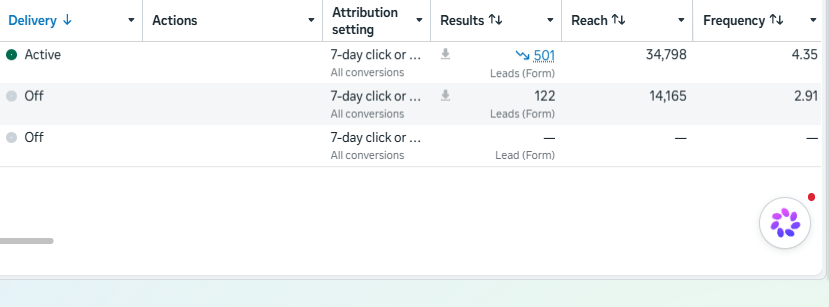
Another thing I wouldn’t do, especially if you’re a small business with a small advertising budget, is create a bunch of different campaigns for everything.
You don’t need to create a top-of-the-funnel campaign, a middle-of-the-funnel campaign and a bottom-of-the-funnel campaign just because someone told you that’s how Facebook ads are supposed to work.
That approach can make sense in certain situations, but for a small business with a limited budget, you’re often better off keeping things simple.
Depending on your budget, you can have one main campaign.
You can have different ads within it and test different creatives to see what performs.
You can even start with one ad set and multiple ads, depending on your campaign and objective.
The point is not to create a complicated structure for the sake of having one.
You want to give Meta enough data and budget to actually learn what’s working.
If you’re splitting a small budget across five different campaigns, you may simply end up with five campaigns that don’t have enough data to do anything useful.
Keep it simple.
Test your creatives.
See what’s working.
Then iterate.
Once someone sees your ad and clicks on it, where do you want them to go?
This is important.
You can send someone to your website.
You can send them to a Meta instant form.
You can send them to WhatsApp.
Or, depending on what you’re selling, you may have another conversion path that makes sense.
Sending people to your website can be useful, especially if what you’re selling requires people to understand your business before they contact you.
But it can also add another step to the process.
If your budget isn’t very large, I wouldn’t automatically send everyone to your website.
Sometimes it’s much simpler to keep the person within Meta’s own ecosystem.
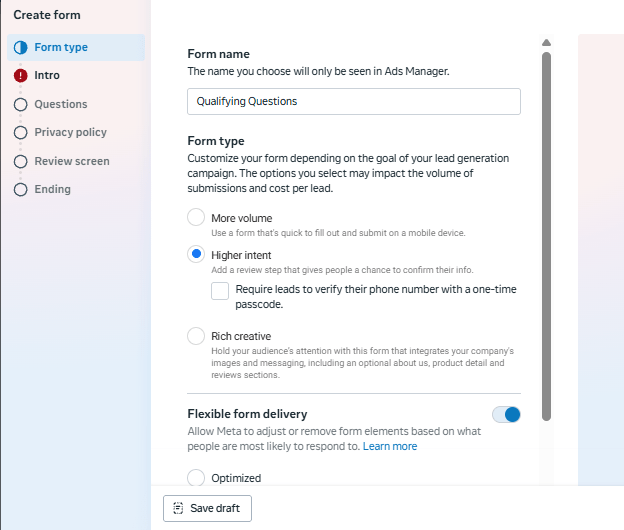
For example, you can use a lead form where someone clicks your ad and answers a few questions without having to leave Facebook or Instagram.
You can then take the qualified lead to WhatsApp and have the conversation there.
For many businesses in Ghana, this can be a very practical setup.
If you’re running a Leads campaign, don’t necessarily make your form:
“Name.”
“Phone number.”
“Submit.”
You can use the form to qualify the person.
For example, you might ask:
The exact questions depend on what you sell.
The point is to get some information before the lead reaches your sales team.
If you have a sales team, you don’t want them to be inundated with hundreds of low-quality leads.
You want them spending their time talking to people who have a genuine chance of becoming customers.
And the qualification isn’t only useful for your sales team.
The information you collect can also help Meta understand what a good lead looks like.
For some businesses, WhatsApp can be a much easier place to continue the conversation.
Once someone has gone through your qualifying form, you can move the conversation to WhatsApp.
This works particularly well when the next step involves asking questions, discussing the customer’s needs, sending photos or documents, giving more information about the service or arranging a call.
Of course, whether WhatsApp is the right destination depends on what you’re selling.
If you’re selling something that requires a long explanation or a customer needs to see your portfolio, your website may still be important.
The point is to think about the entire customer journey, not just the ad.
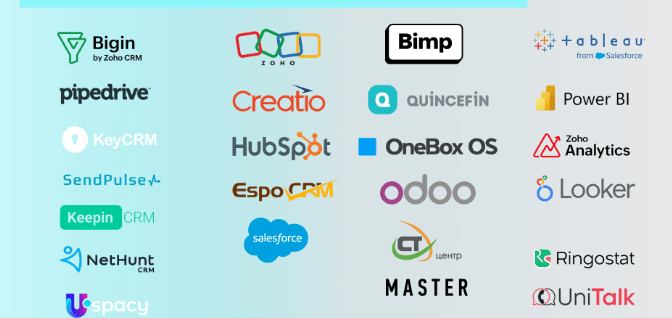
If you have a CRM, use it.
This becomes particularly important if you sell a product or service with a longer sales cycle.
Someone might fill out your form today but only become a customer two weeks or two months later.
You don’t want your advertising data to stop at:
“Someone filled out a form.”
You want to know:
“Was this actually a good lead?”
“Did the sales team contact them?”
“Did they qualify?”
“Did they become a customer?”
You can connect your CRM to Meta so that information can be used to improve your campaigns.
That way, Meta can get better information about the type of people who are actually becoming customers rather than simply optimising for anyone who is willing to fill out a form.
If you don’t have a CRM, or you don’t want to spend money setting one up yet, you can still create a simple system.
You can connect your lead form to a Google Sheet so that the lead information is automatically transferred there.
From there, you can use a simple automation to send the lead’s information to your email or phone so that someone on your team can follow up.
You can use tools such as Make.com and Trello to build simple workflows without spending a huge amount of money.
For a small business, you don’t necessarily need some complicated enterprise CRM system from day one.
You need a system that makes sure the lead doesn’t disappear.
The important thing is that when the lead comes in, someone knows about it and can contact them.
This is another thing businesses get wrong.
If someone submits a lead form and you wait until tomorrow to call them, that person may already have spoken to someone else.
You should try to contact new leads as quickly as possible.
Ideally, aim to get to the lead within five minutes when you can.
That’s your speed to lead.
The faster you can respond, the better your chances of having the conversation while the person is still interested.
And with the tools available today, including AI and automation, this is much easier than it used to be.
You can have automated systems that notify your team immediately.
You can have AI tools respond to initial messages.
You can have lead information sent directly to your phone or email.
You don’t have to manually sit inside Ads Manager refreshing the page to see if someone filled out a form.
Take advantage of the technology that’s available.
If you’re going to send people to your website, make sure your Meta Pixel is installed properly.
Your website should be sending the right events back to Meta so that you can understand what people are doing after they click your ad.
This becomes particularly important if you want to retarget people who visited your website but didn’t convert.
For example, someone might click your Facebook ad, visit your service page, look around your website and leave without contacting you.
You don’t necessarily want to forget about that person.
With the right tracking setup, you can build audiences around people who have already interacted with your website and show them another ad.
Retargeting can be one of the more cost-effective types of advertising because you’re advertising to people who have already shown some level of interest in your business.
So if you’re using your website as part of your Facebook advertising strategy, make sure your tracking is set up properly before you start spending serious money.
When you start running Facebook ads, you need to understand that you’re going to have to test.
You’re going to spend money.
Some ads won’t work.
Some creatives will perform better than others.
Some leads will be good.
Some leads will be terrible.
You cannot become too emotional about this.
If you’re scared to lose any money while testing, you may not have the patience required to get your Meta ads working.
That doesn’t mean you should throw money at Facebook without a strategy.
It means you need to understand that testing is part of the process.
You need a decent enough budget to collect meaningful data, and you need to be willing to iterate.
You might start with one creative and realise it isn’t working.
That’s fine.
Change the hook.
Change the video.
Change the image.
Change the offer.
Change the qualifying questions.
Test again.
Meta ads can work, but you need to give the system enough time, money and data to learn.
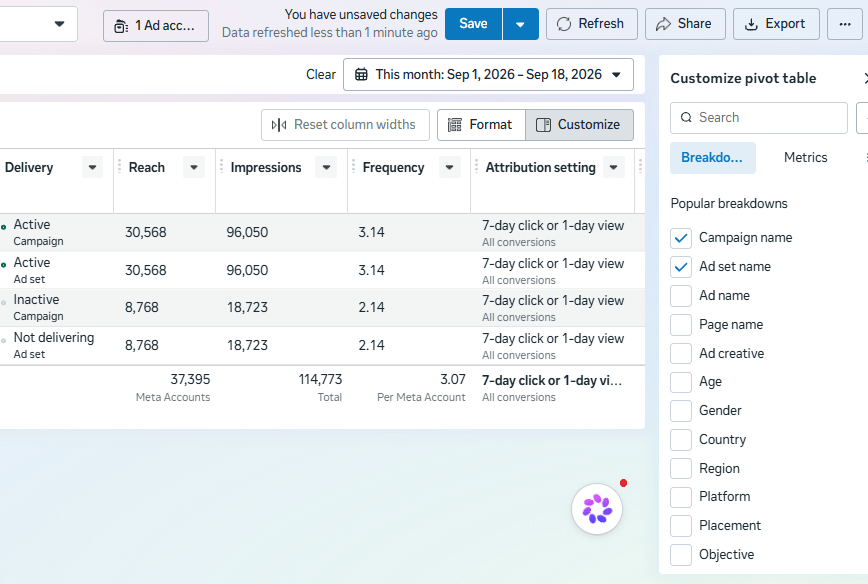
Once you start getting leads, don’t just look at the number of leads you’re getting.
Look at the quality of those leads.
Let’s say you generated 100 leads.
That sounds great.
But what if only three of them were actually good enough to become customers?
Those 100 leads aren’t necessarily useful.
Now imagine you can identify which of those 100 leads were actually good leads and which ones eventually became paying customers.
You can send that information back to Meta.
Lead forms have lead IDs that can be used to match leads with your own customer data.
If you’re using a CRM, you can use the information from your CRM to tell Meta which leads were qualified or converted.
This gives Meta better information about what you’re actually looking for.
Instead of simply saying:
“Find me people who fill out this form.”
You’re giving it better signals about:
“Find me people who look like the people who actually become my customers.”
That’s a much more useful optimisation signal.
You don’t want Meta optimising for form fillers.
You want it optimising towards your actual ideal client.
If you’re running Facebook ads, you should also know about the Meta Ad Library.
You can use it to see the ads that other businesses are currently running.
Go into the Ad Library and search for businesses, keywords or competitors in your industry.
Look at what they’re doing.
What type of creative are they using?
Are they using video?
Are they using static images?
What offers are they promoting?
What are they saying in the first few seconds?
What type of call to action are they using?
One thing you can look at is how long an ad has been running.
If you see an ad that has been running for a long time, that’s a useful indication that the business may have found something that works well enough to keep running.
Of course, it’s not a guarantee that the ad is profitable. You don’t know the business’s conversion rate, margins or actual results.
But it can give you ideas.
You can look at what other businesses in your industry are doing, take the useful parts, and then make your own version better and more relevant to your customers.
Don’t copy their ad.
Use it for research.
Try different things and see what works for your own business.
There isn’t some secret button you press inside Meta Ads Manager that suddenly makes all your ads profitable.
You need the right offer.
You need good creative.
You need to understand your ideal customer.
You need to qualify your leads.
You need to respond quickly.
You need to track what happens after the lead comes in.
And you need to be willing to test and improve.
For a Ghanaian business, you also need to think about how your potential customers actually want to communicate with you.
For some businesses, that might be WhatsApp.
For others, it might be a phone call.
For others, it might be a website form or an online purchase.
Build your campaign around the customer journey rather than simply trying to get as many clicks or leads as possible.
Facebook ads can be a very useful way for a Ghanaian business to get in front of potential customers, but running ads is not simply about putting money into Facebook and waiting for customers to appear.
You need to know who you’re targeting.
You need a good offer.
You need creative that speaks directly to your ideal customer.
You need to test different creatives.
You need to qualify your leads.
You need to respond quickly when someone shows interest.
And you need to track what happens after the lead comes in.
Most importantly, don’t judge your Facebook ads only by how many leads you get.
Look at how many of those leads are actually qualified, how many become opportunities and, ultimately, how many become paying customers.
That’s the difference between running Facebook ads and actually using Facebook ads to generate business.
There is no secret formula.
You need patience.
You need a decent budget.
You need to test creatives.
And you need to keep improving based on the data.
If you’re a Ghanaian business owner and you want to use Facebook ads to generate actual leads and customers rather than just likes and engagement, the campaign needs to be built around your business, your customers and your sales process.